In short
- Calls reach InsightCallIQ five ways: Twilio Media Streams and Amazon Connect Contact Lens segments while the call is live; transcript and recording uploads, and S3 batches, after it.
- Every path ends in the same place: speaker turns with their timings, personal data masked, then measured, scored on the scorecards, checked for compliance and scored for fraud.
- Speech to text sits behind one interface: Amazon Transcribe (streaming and batch, with speaker labels, channel identification and PII redaction) or Whisper, chosen with one setting.
- The way in is locked down: Twilio's signature is checked on the webhook, the media stream needs a short-lived token, S3 is read and never written, and the live view's WebSocket never carries a token in its URL.
Call intelligence is only as good as the calls it sees. A product that can only read the transcripts someone remembered to export will always be looking at last month, and at whichever calls were easiest to get. InsightCallIQ takes calls from the phone network as they happen, and from files and buckets afterwards, and treats them all the same once they are in.
This post is for the engineer or architect wiring it up. It covers each way in, what InsightCallIQ expects, how it is configured, and what happens to the data on the way through. Code references are to the InsightCallIQ API (calliq_telephony, calliq_stt, calliq_ingest).
Five ways in, one analysis. Live sources also feed the live assist session turn by turn.
Twilio Media Streams
For a Twilio number, InsightCallIQ is the voice webhook. When a call comes in, Twilio posts to POST /api/calliq_voice/twilio/answer. InsightCallIQ checks the X-Twilio-Signature header (an HMAC over the URL and the sorted form parameters, with your account's auth token) and answers with TwiML that connects a Media Stream back to it. The TwiML carries a short-lived stream token as a stream parameter. Twilio opens the media WebSocket without any sign-in of ours, so the token is how InsightCallIQ knows the stream belongs to a call it answered: a stream that starts without a valid token is rejected, and media frames before an accepted start are ignored.
The Twilio path: a signed webhook, a token-checked stream, clips cut on silence per speaker, and a turn at a time into the live session.
Twilio sends audio as base64 G.711 μ-law frames on two tracks. InsightCallIQ maps the inbound track to the customer and the outbound track to the agent, so there is no speaker guessing: each side is its own channel. Frames are decoded to PCM and cut into clips on silence, per track, and each clip goes to speech to text. The live session then settles each speaker's clips into whole turns on a short silence gap, so a sentence spoken in three breaths becomes one turn, not three. From there it is the live assist pipeline described in our post on real-time assist: checklist, prompts, knowledge, supervisor alerts, and the after-call summary when the stream stops.
Configuration is environment variables on the API:
# Twilio: the signature check and the public WebSocket Twilio connects to
TWILIO_AUTH_TOKEN=<your Twilio auth token>
CALLIQ_PUBLIC_WSS=wss://calliq.example.com/api/calliq_voice/twilio/stream
# optional: the exact webhook URL Twilio signs, when a proxy rewrites it
CALLIQ_TWILIO_WEBHOOK_URL=https://calliq.example.com/api/calliq_voice/twilio/answer
# speech to text for live audio: transcribe | whisper
CALLIQ_STT=transcribe
Then point the number's voice webhook at /api/calliq_voice/twilio/answer. Placeholder values; never commit a real token.
Without the auth token and the public stream URL, the webhook refuses to answer with an error rather than accept unsigned requests. GET /api/calliq_voice/config reports what is set up: the speech-to-text provider, Twilio and Amazon Connect.
Amazon Connect: Contact Lens on Kinesis
Amazon Connect does its own speech to text. With Contact Lens real-time analysis switched on in the contact flow, Connect publishes transcript segments to a Kinesis data stream. InsightCallIQ's Connect adapter reads that stream and turns segments into turns, grouped by contact:
- Each segment's
Transcript(orUtterance) gives the speaker role,AGENTorCUSTOMER, the text, and the begin and end offsets, which become the turn's timings. - Contact Lens's own sentiment and its redaction flag are read with each segment.
- The adapter is read-only: it describes the stream, gets shard iterators and reads records, nothing else. Set
CALLIQ_CONNECT_STREAMto the stream's name and give the API's role read access to it.
Because the text already arrives transcribed, there is no audio handling on this path: each segment becomes a turn and goes into the live session exactly as a Twilio turn would, and from there into the stored call.
Audio in, two tracks. InsightCallIQ cuts clips on silence and runs speech to text (Amazon Transcribe streaming or Whisper). Speaker from the track.
Text in, from Contact Lens on Kinesis. No audio handling. Speaker from the participant role; timings from the segment offsets.
Uploads: transcripts and recordings
Not every call needs to be live. A QA team backfilling last quarter, or a firm whose platform exports transcripts, can upload calls on the Calls page or through POST /api/calliq/ingest/upload.
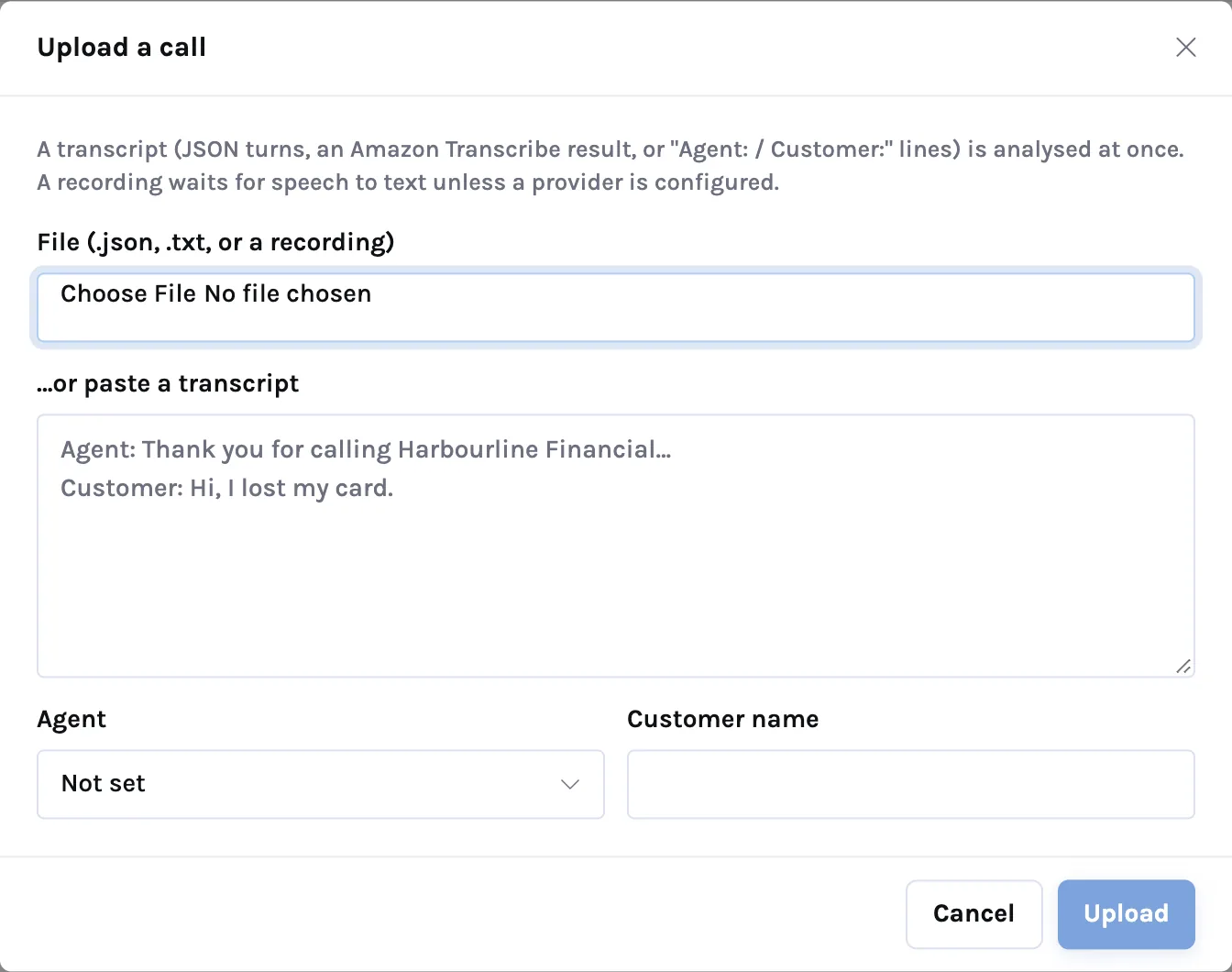
InsightCallIQ reads four transcript shapes:
| Shape | What it looks like | Typical source |
|---|---|---|
| A list of turns | JSON: each turn with a speaker, text, and start and end times | Your own export |
| Turns with metadata | JSON: turns plus call fields such as the agent, account, direction and start time | An export that carries the call's details |
| An Amazon Transcribe result | The job's JSON output, with speaker labels or channels | Recordings you already transcribe |
| Plain text | Lines that start Agent: or Customer: | Pasting a call in to try it |
// a transcript with its call's details
{"direction": "inbound", "agent_code": "A107", "turns": [
  {"speaker": "agent",    "start": 0.8, "end": 6.2, "text": "Thank you for calling Harbourline Financial..."},
  {"speaker": "customer", "start": 7.0, "end": 11.4, "text": "Hi, I'd like to dispute a charge."}
]}
Illustrative: a fictional agent code and a fictional company.
A transcript is analysed and stored at once. A recording (the common audio formats: WAV, MP3, M4A, FLAC, OGG, WebM and AMR) goes to the configured speech-to-text provider; with none configured it is recorded as an ingest job waiting for speech to text, and the job list says so. Every upload is an ingest job with its source, file name and status, and it is written to the audit trail.
S3 batches
For volume, POST /api/calliq/ingest/s3 reads every object under a bucket prefix. It reads and never writes: Transcribe JSON and text transcripts are ingested; recordings are sent to Amazon Transcribe batch jobs when batch transcription is enabled (CALLIQ_S3_TRANSCRIBE=1 with CALLIQ_STT=transcribe), and otherwise listed as waiting for speech to text. A batch job asks Transcribe for speaker labels or channel identification and PII redaction, and reads the redacted transcript back when the job completes.
The API's role needs only what it uses: s3:GetObject on the recordings, and transcribe:StartTranscriptionJob, transcribe:GetTranscriptionJob and transcribe:StartStreamTranscription for Transcribe.
Speech to text, behind one interface
Every provider implements the same speech-to-text interface, so the rest of InsightCallIQ does not know or care which one ran. CALLIQ_STT picks it:
| Setting | Provider | What it brings |
|---|---|---|
transcribe | Amazon Transcribe | Streaming for live calls and batch jobs for recordings; speaker labels or channel identification; built-in PII redaction |
whisper | Whisper | Clips of phone audio sent as WAV |
fake | A test provider | Deterministic text for tests and rehearsals |
none | None | Transcripts only; recordings wait for a provider |
The choice is also a data-residency choice. Amazon Transcribe runs in the AWS region you configure, in your own account, alongside the rest of InsightCallIQ.
What every path does to the data
However a call arrives, the same things happen before anyone reads it:
- Personal data is masked in every turn before it is stored: card numbers, phone numbers, email addresses, social security numbers, IBANs, dates of birth and addresses. The call keeps what kind of data was masked and in which turn, not the value. Amazon Transcribe's own redaction can run first as well.
- The same engines run. Talk and listen, silence and dead air, overtalk, loudness, sentiment by turn, the call reason, the scorecards, the compliance requirements, the fraud score. A call from Twilio and a call from an upload are scored identically.
- The live view is authenticated properly. The browser's WebSocket for a live call sends its sign-in token as the first message, never in the URL, so it does not end up in proxy logs.
Rehearse before you connect a line
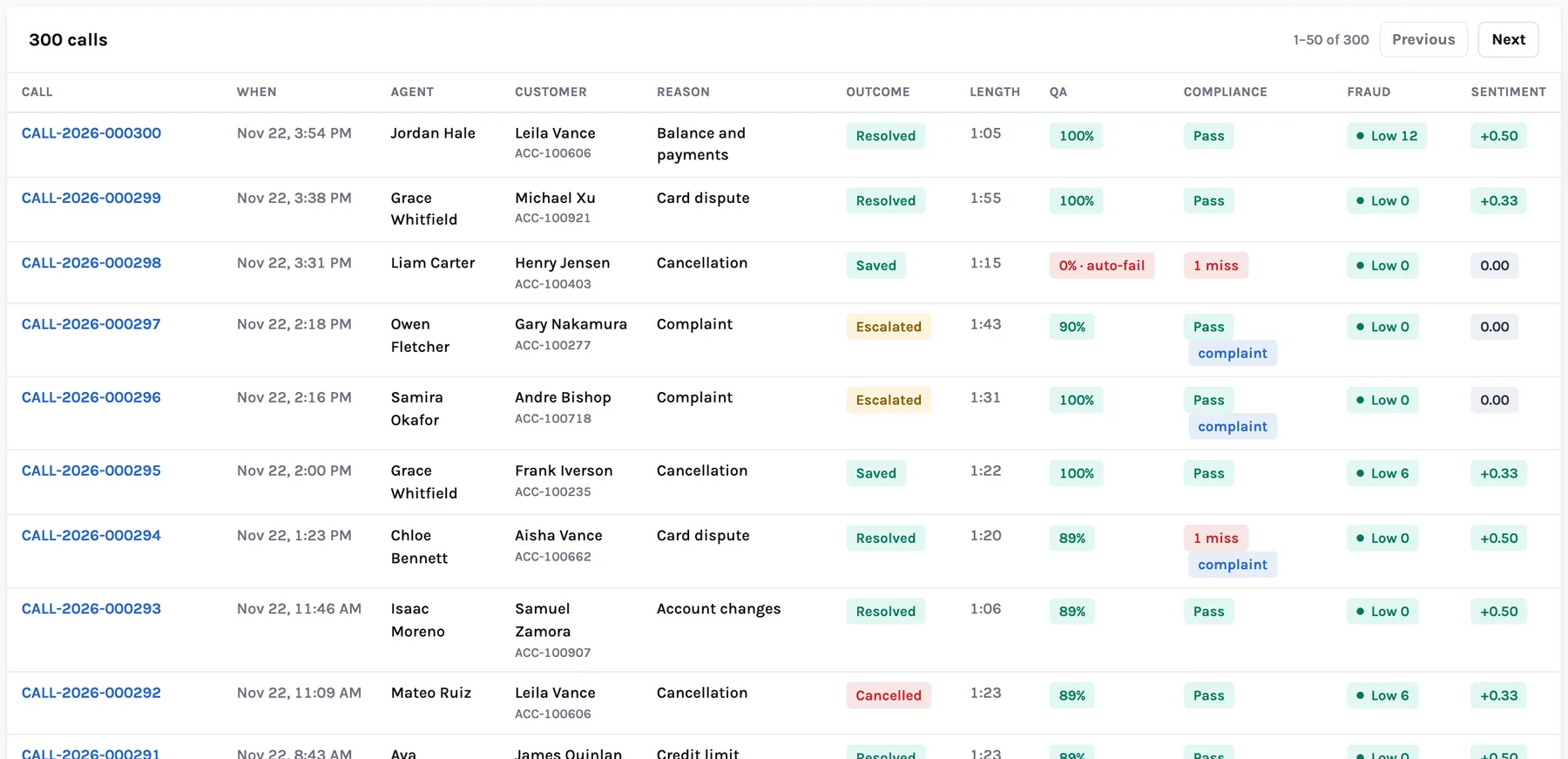
Before pointing a production number at InsightCallIQ, run the whole pipeline on calls you already have. Upload a few transcripts or an S3 prefix, then use the Live page's Replay a call or Simulate the floor, which stream stored calls through the same live session code at their own timings. The demo company, Harbourline Financial, is entirely seeded this way: transcripts in, every engine run, live assist rehearsed by replay.
watch
Many ways in. One way through.
Live audio, live transcripts, uploads and buckets all become the same thing: masked speaker turns, measured and scored by the same engines. That is what lets a QA lead trust a score whether the call came from a Twilio number this morning or an S3 export last quarter.
Where people stay in charge
- A person decides every review: a compliance breach, a fraud alert, a QA dispute, a complaint or a vulnerable customer. When the controls refer it, a lead who did not submit it decides.
- Agents prepare and ask first: every agent action is capped at L2, so a wrap-up note, a calibration request, a watch-list entry or a weekly brief waits for a person to accept it.
- Every score is the engine's: points come from the scorecard's weights and the risk model's reasons, and a drafted sentence with a figure outside the call's facts is thrown away.
- A QA answer stands on a quote: a model answer whose quote is not word for word in the transcript is rejected, and the scorecard's own check stands.
- Ingest reads: S3 objects are read and never written, and a recording goes to speech to text only when a provider is configured.